I want emojis to behave like before
This is a setting for each individual and doesn’t impact the entire meeting. Each meeting is autonomous and can have a group conscious to decide to ask attendees (in the meeting script) to not use emojis.
This setting doesn’t get rid of emojis completely, it just prevents emojis from floating all over the gallery, and in front of everyone’s pictures. This setting makes sure that emojis are confined to each individual’s square.
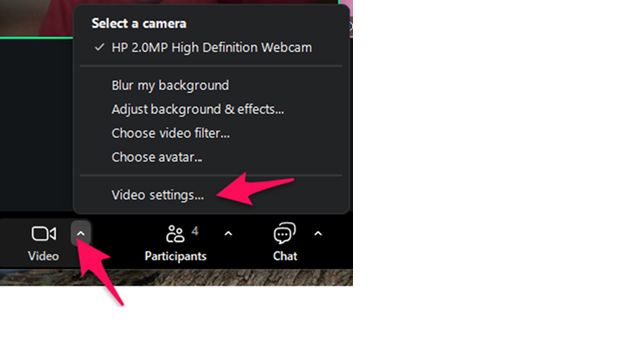
First go to the video icon and click the little up arrow. Choose Video settings..
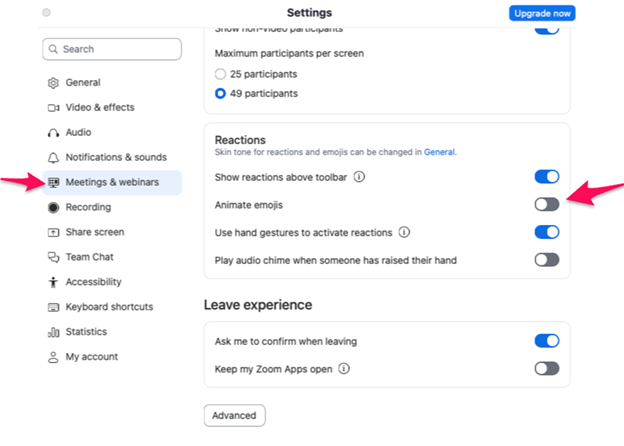
When you get in the Settings dialogue box, choose Meetings & webinars on the lefthand side column. Then scroll down (almost to the bottom) looking for the Reactions heading.
Once there, set the Animate emojis slider to off (grey) and you’re done.